One online whiteboard, two ways to make the video. Teach it yourself — draw on an infinite canvas and record your screen, voice and camera. Or let AI create it — describe the lesson and TeachBoard builds every page, writes the speaker notes and renders the finished video with an AI voice and burned-in captions. A modern CapCut, Canva & NotebookLM alternative for teachers. No editor, no downloads.
Draw · generate · narrate · record · share — powered by Claude Sonnet & Opus
Build the pages by hand, with AI, or both — then finish the video however you like. There is no import, no export-and-reimport, no timeline to learn before you start. The lesson, the narration and the finished MP4 all live in the same place.
Draw them yourself on an infinite canvas — pencil, shapes, arrows, tables, code, live math — with charts, diagrams and media a click away.
Or press Ask AI and say what you're teaching: a topic, a full script, a slide list, an attached PDF. You get a storyboard first — one card per page, trim what you don't want — then every page arrives with its layout, its diagrams and its speaker notes.
Play the pages through before you commit. Flip with ← / →, drag anything, retype any label, add a page, or hit ✦ Beautify to tidy up your own edits.
Nothing the AI makes is locked. Every page is ordinary editable shapes, text and arrows.
Press ▶ Create video. Present it yourself and record over the pages in your own voice, or let AI render it with a synthetic voice and captions.
Both land in Studio, where you trim, add music and export the MP4. Copy the share link and send it — viewers need nothing installed.
Same pages, same board, same Studio. The Create video panel asks one question — and neither answer is the second-class one.
Record over your pages with your microphone and an optional draggable camera bubble. Share your screen mid-recording when you need to show something else. Point with the Laser, ring a detail with the Circle laser, or dim everything but one shape with Spotlight — presenter tools that leave no ink behind. This is the whole reason the canvas is infinite: you teach live, and it records.
Unlimited on every plan — including with no account at all
An AI voice reads each page's speaker notes, captions are burned into the frame, and the pages animate and advance on their own. The video is captured in your browser and saved as an MP4 — no upload queue, no render farm to wait on. For the lessons you don't have an hour to narrate.
20 narration languages · 4 English voices · captions on or off
Flip the Board / Studio switch in the top bar. Drag takes onto one timeline, trim the edges, crop the frame, reorder, add a reveal animation, drop in a music or voice track with fades — then export a clean H.264 MP4, or copy a public share link.
Not a multi-track editor — deliberately. One row, one final video.
The model decides structure — what the boxes are, how they relate, what deserves emphasis. Deterministic layout engines decide geometry: positions, sizes, arrow routes, contrast. That split is why the output stays clean instead of drifting into overlapping soup.
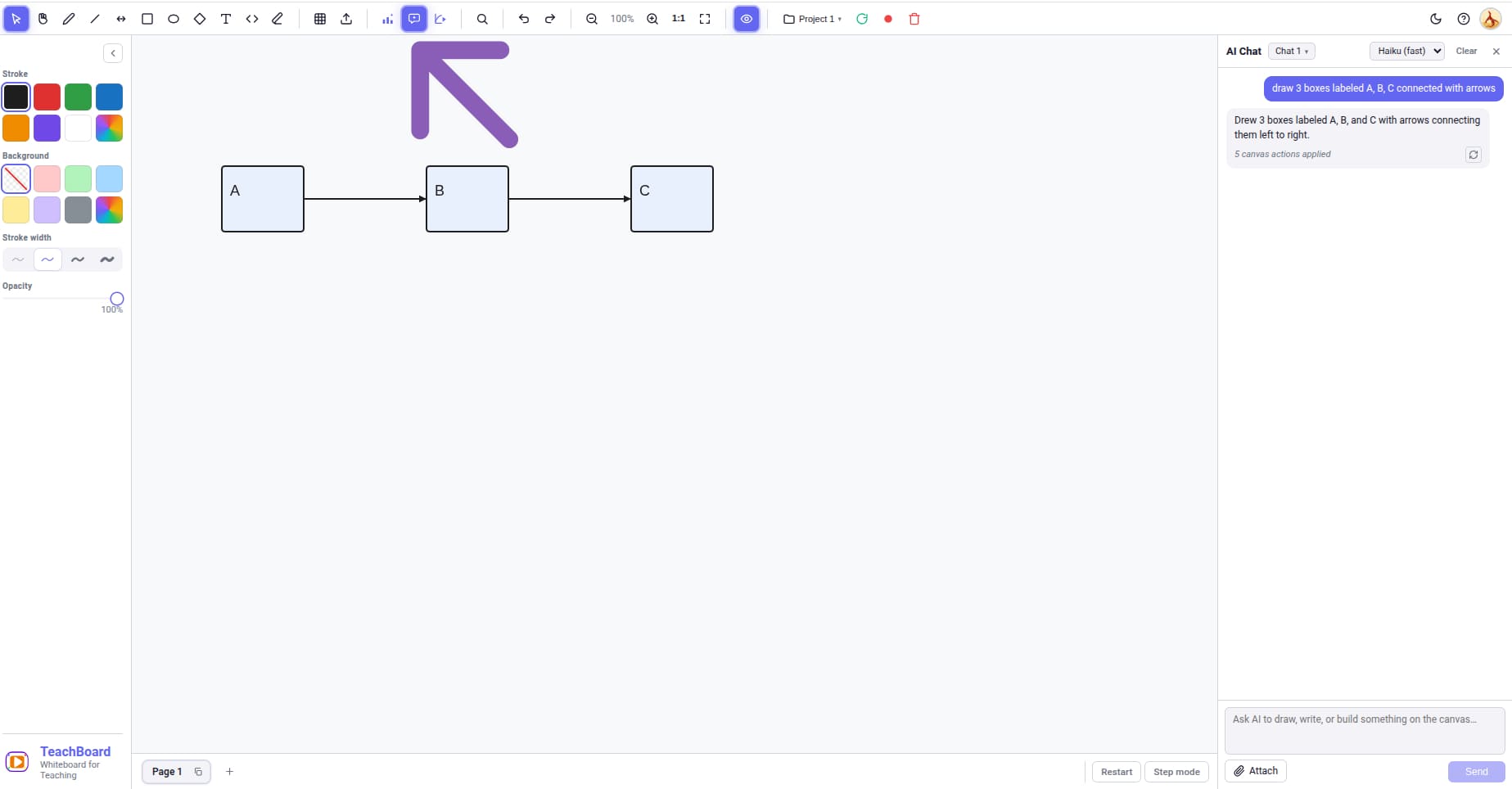
You never spend a page on a plan you didn't want. Multi-page requests come back as a confirmable storyboard — a title, a goal and a badge per page — that you trim before anything is built. Single-page asks skip the card and just build.
Say a thing moves — a pointer sweeping an array, a pulse bouncing between mirrors, a projectile rising — and that page becomes a motion scene instead of a static diagram, animated live on the canvas and captured straight into the video.
$\sigma$ and block $$\int$$ equations anywhere text goes
Ask for them in the same box, or open the panel and build one by hand. Whatever you make lands as a live element you can move, resize, restyle and record over.
Teachers stitch together a slide tool, a diagram tool, a recorder and a video editor — and re-record the voiceover three times. TeachBoard folds all four into a single online whiteboard: visual-first, AI-native, free to start.
Skip the timeline editor. Draw and generate your visuals on an infinite canvas, then record your screen, voice and camera straight from the board — or let the AI narrate it for you. No clip-stitching, no re-exports. Studio is only there for the last ten percent: trim, music, export.
A design tool hands you slides you still have to present, record and edit somewhere else. TeachBoard designs the pages and finishes the video in the same tab — speaker notes, narration, captions, MP4 — and nothing is a locked template: every page is editable shapes you can pull apart.
Drop in PDFs, images and prompts and get diagrams, charts, math and animations on a canvas — not just text notes. NotebookLM summarises; TeachBoard renders the picture your students actually need to see, then records you explaining it.
Every page, diagram, chart and math animation is generated by Anthropic Claude — Sonnet as the floor for layout work, Opus for the hardest pages. Modern teaching methods, backed by frontier AI, right inside the canvas. Or bring your own Anthropic key on Pro.
Nothing here is stitched from clip libraries. Every page is a designed explanation with a consistent colour code — red is always the invalid path, green is always the good one — and you can open any page and change a single word.
No second app to launch, no window to pick, no desktop clutter in frame. Record the board only or the whole tab, with your camera in the corner and presenter tools that leave no ink — then the take is already in Studio when you stop.
Everything below is in the product today.
Multi-page requests show a card of planned pages first. Trim what you don't want — you're only charged for pages you actually build.
Every page carries the words that go with it — in the lesson's language, at the audience's level. They become the narration, or your own script to read.
Neural voices for English, Spanish, Hindi, Arabic, Turkish, German, French, Portuguese, Japanese, Korean, Chinese and more — four voices to choose from in English.
Narration is captioned into the frame as it renders, so the video works on mute, on a phone, and in a classroom at the back of the room.
Mic, optional camera bubble, optional mid-recording screen share. Record the board only or the whole tab. Never counts against any quota, on any plan.
Presenter tools that fade instead of drawing. Point, ring a detail, or dim the page down to the one shape you're talking about — nothing is left on the board.
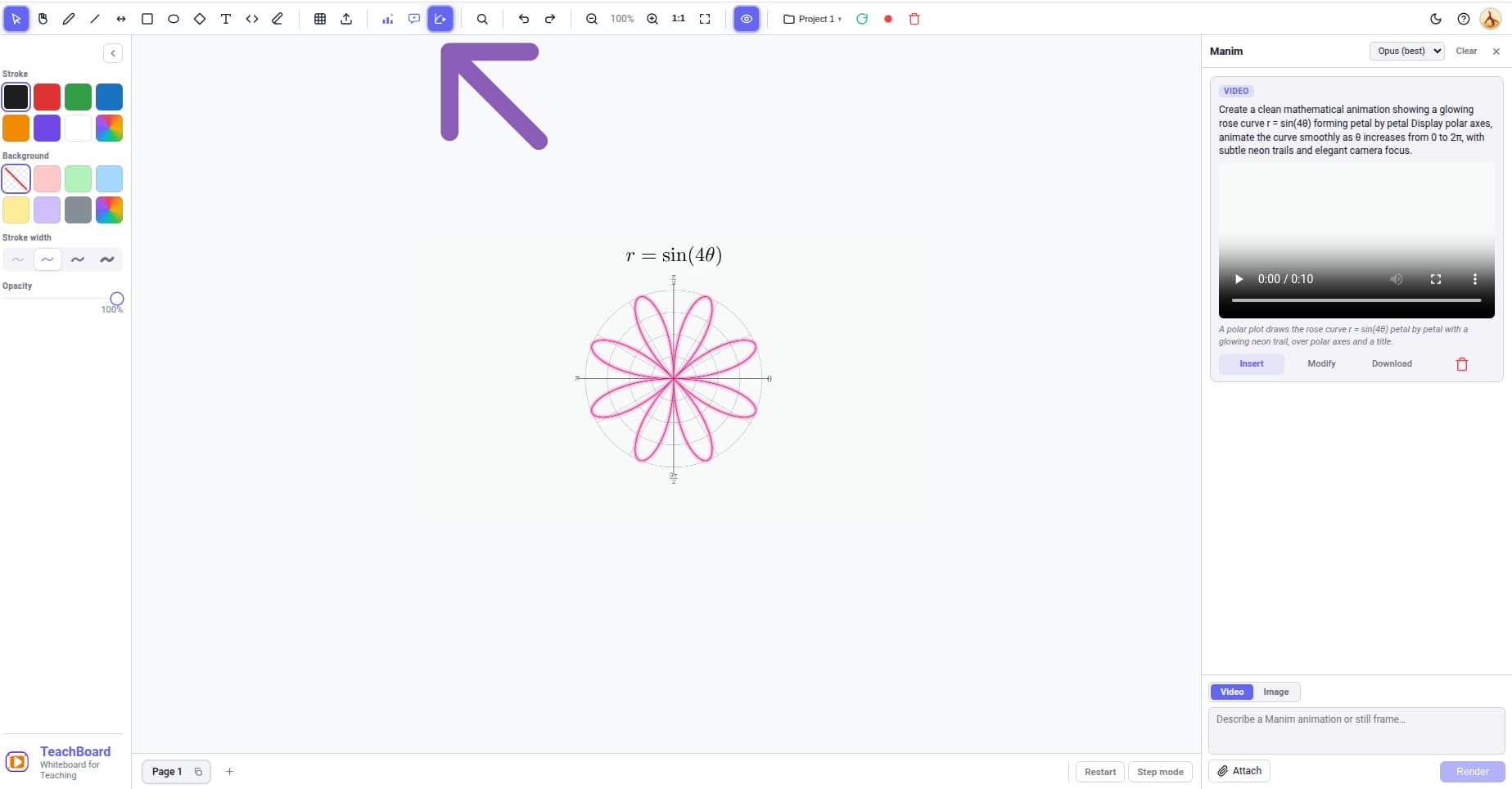
Pages that genuinely animate, plus server-rendered Manim + LaTeX animations and stills when you want the real thing.
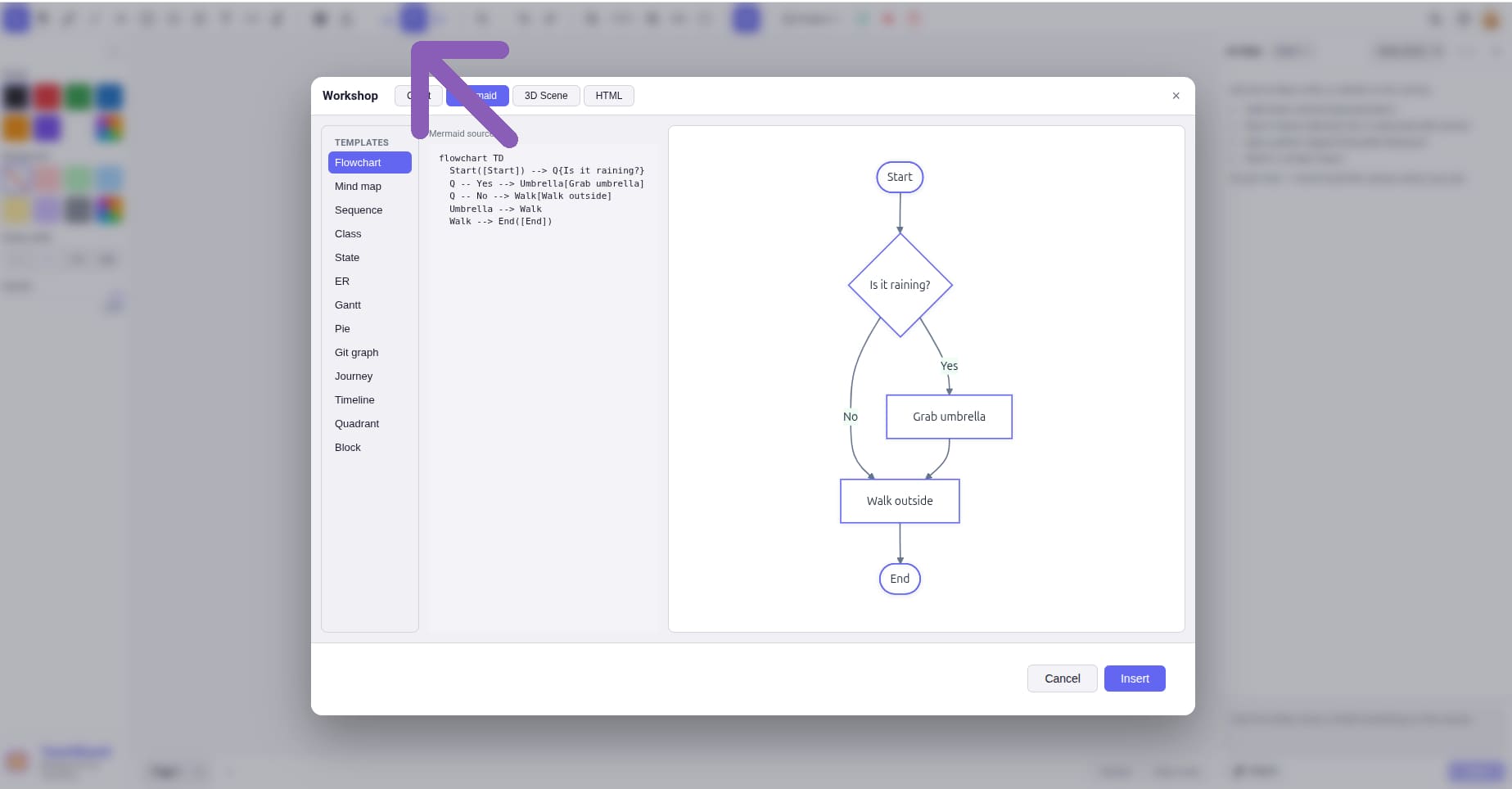
Bar, line, area, pie, doughnut, radar, polar, scatter, bubble — plus typed flow diagrams and the full Mermaid family. Ask for one, or build it in the panel.
Sketch, Cinematic and Editorial. Ask for "make it dark" and the pages recolour in place — nothing is rebuilt, and every text colour stays AA-readable.
Pick the frame before you build and every page is composed for it. Landscape for YouTube and projectors, vertical for Shorts and Reels, square for feeds.
Pressure-sensitive pencil, highlighter, shapes, arrows that stay attached, tables, code blocks, text with live math — on an infinite canvas, in clean, sketch or rough styles.
Images, sprite sequences, video and PDFs drop onto the page. Annotate a PDF and the ink is bound to that page — it hides and returns as you flip.
Search from inside the board and click a result to place it. Icons and images from Freepik, stock clips from Pexels.
Every take you've recorded, in one library. Drag onto the timeline, trim, crop, reorder, add reveal animations, layer an audio track with fades, export MP4.
One click uploads the finished video and gives you a public watch page. Send the link — no account, no plugin, no download for whoever you send it to.
Up to 5 projects, each with its own pages, chat sessions and history, auto-synced so you can pick a lesson back up on another machine.
Plug in your own Anthropic API key and run Sonnet and Opus on your own account, without spending AI pages.
Two things are metered, and only two. An AI page is a page the AI builds for the first time — editing it afterwards is free. An AI video is one narrated render or math render. Recording yourself, drawing, importing, Studio and exporting are unlimited on every plan, forever.
Billed in USD through Dodo Payments as merchant of record. See the refund policy and terms.
Tools are a single letter — Shift + the same letter works too, so it keeps firing while you hold Shift to constrain a drag.
| Key | Tool |
|---|---|
| V | Select — the default tool |
| H | Pan |
| P | Pencil |
| M | Highlighter |
| E | Eraser |
| R | Rectangle |
| O | Ellipse |
| D | Diamond |
| L | Line |
| A | Arrow connector |
| T | Text |
| Shift+C | Code block |
| Key | Action |
|---|---|
| N | Laser pointer |
| J | Circle laser |
| S | Spotlight |
| ← / → | Previous / next page |
| PgUp / PgDn | Previous / next page |
| Home / End | First / last page |
| Ctrl+scroll | Zoom the canvas |
| Middle-drag | Pan from any tool |
| Esc | Close the panel or menu you're in |
Undo and redo are the ↶ ↷ buttons in the top bar.
Everything teachers ask before opening the board.
Yes, and you don't even need an account. Draw your lesson on the board, press ▶ Create video and choose Present it yourself: it records your screen, your voice and — if you want — your camera in a draggable bubble, with Laser, Circle laser and Spotlight to point at things live. Videos you record yourself are unlimited on every plan, forever.
Also yes. Describe the lesson, confirm the storyboard, and TeachBoard builds the pages and writes the speaker notes. Press ▶ Create video, choose AI renders it, and an AI voice reads the notes while the pages animate and advance; captions are burned in and the MP4 is captured in your browser. You can watch it happen and stop at any point.
It's built for educators rather than general video editing. Instead of a timeline editor you draw and generate visuals on an infinite canvas, then record your screen and camera directly from the board — or hand the narration to the AI. Studio covers the last mile (trim, music, export) without the clip-stitching workflow.
For lesson video, largely yes. Canva designs the slides; you still have to present, record and edit them somewhere. TeachBoard designs the pages and finishes the video in the same tab — and nothing is a locked template, so you can pull any page apart and change one word.
Like NotebookLM, TeachBoard turns your material into something you can teach from — but it's visual-first. Drop in PDFs, images and prompts and get diagrams, charts, math and animations on a canvas you can present, record and share, not just a text summary.
The board is free with no sign-in at all: drawing, shapes, text, tables, importing media, recording yourself, Studio and MP4 export. Signing in adds a one-time grant of 20 AI pages and 2 AI videos so you can build a real lesson end to end before deciding anything. Pro is $10/month for 40 AI pages and 20 AI videos every month, and is refundable for 7 days.
An AI page is a page the AI builds for the first time. Editing it afterwards — retyping a label, dragging a shape, asking for a fix, beautifying it — costs nothing. An AI video is one narrated render or one math render. Recording yourself, exporting, trimming in Studio and sharing never cost anything.
Anthropic Claude. Sonnet is the default and the floor for building pages — anything weaker produced layouts that had to be redone — and Opus is there for the hardest pages. Pro users can plug in their own Anthropic API key and run both on their own account instead.
Twenty languages, all neural voices: English (four voices), Spanish, Hindi, Arabic, Turkish, German, French, Portuguese, Italian, Japanese, Korean, Chinese, Dutch, Polish, Swedish, Danish, Norwegian, Finnish, Czech and Catalan. The voice reads your speaker notes exactly as written — it does not translate them, so ask the AI to write the lesson in that language and it will.
All of it. Every page is ordinary shapes, text and arrows — nothing is a locked container. Drag things, retype labels, delete a box, add your own drawing, or ask the AI for a change and it edits in place. ✦ Beautify tidies a page up after you've been in it by hand.
No. Everything — including rendering the narrated video — happens in your browser. TeachBoard needs a desktop browser though; on a phone or small tablet you'll get a note asking you to open it on a laptop, because the board doesn't work well at that size.
Download the MP4, or copy the share link — that uploads the video and gives you a public watch page anyone can open with no account, no plugin and no download.
Open the board and record your first lesson — no sign-in needed. Or sign in and let the AI build it for you.